Arbetsförmedlingen
You can add the ZenZaii consent key by logging into your Arbetsförmedlingen account and navigating to: My Pages → Post ads in Platsbanken → Manage consents
Once the consent key is added, ZenZaii will be able to post jobs directly to Arbetsförmedlingen on your behalf. For more information, please refer to the Arbetsförmedlingen documentation or contact their support.
Step-by-step
Section titled “Step-by-step”- Sign in to Arbetsförmedlingen (Employer) and open: My Pages → Post ads in Platsbanken → Manage consents (Mina sidor → Annonsera i Platsbanken → Hantera medgivanden)
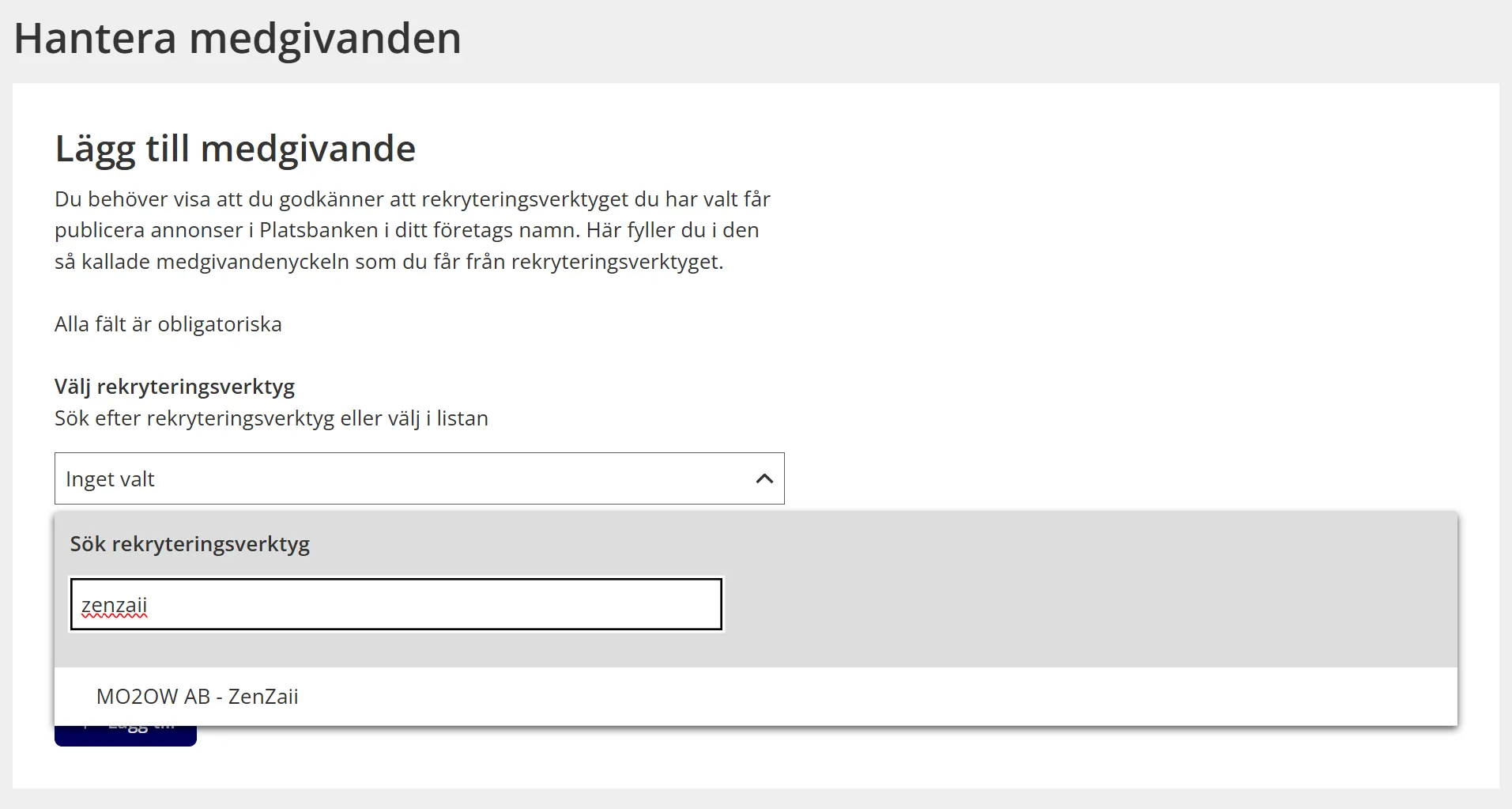
- Paste your ZenZaii consent key into the consent key field. (Lägg till medgivande).
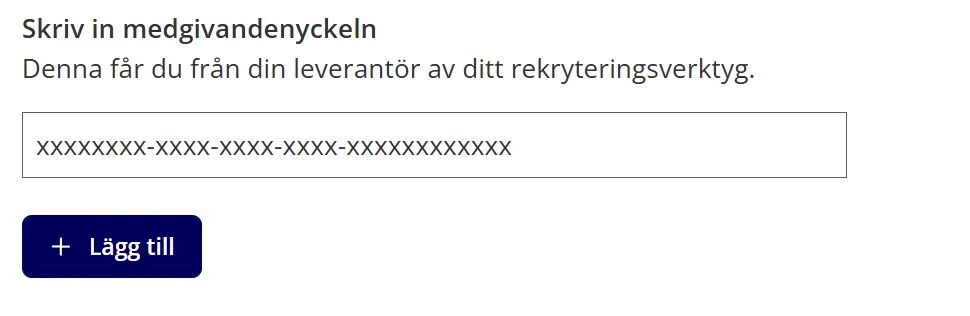
- Click Add button.
- Once added sucessfully, you will find ZenZaii under your linked recruitment tools section
